

7 min read · Updated: 2026-10-13
If you want customers to find you easily, adding your business to Google Maps is a simple, practical step. This guide walks you through the exact steps, from verifying your business to keeping information up to date. You’ll learn the basics in plain language and see how a strong listing improves everyday lives and routines.
First, understand that Google Maps acts like a local directory built into a map people already use. You’ll claim your place, add accurate details, and respond to reviews. The goal is steady, trustworthy accuracy that makes it easier for neighbors and friends to find your hours, location, and services.
By the end, you’ll know which fields to fill, what to watch for, and how to maintain your listing so it stays useful over time. This isn’t about hype; it’s about a reliable, evergreen reference you can rely on when plans are made or errands are needed.
- Add your business listing on Google Maps by verifying ownership and filling basic details.
- Keep information consistent across platforms and with your own site.
- Use photos and reviews to boost trust and local visibility.
- Regular maintenance prevents confusion and helps locals discover you more easily.
Basics of listing setup
Why claim your listing
Claiming your listing confirms ownership and prevents other profiles from misrepresenting your business. Start by searching for your business name on Google Maps and selecting the claim option if it appears. If you don’t see it, verify your business through the Google Business Profile dashboard before proceeding. add your business listing in Basildon is a practical first step for local visibility and easier directions.
Reach customers who specifically seek you in Basildon by ensuring your address, phone number, and category are correct. Inaccurate details lead to missed calls and incorrect directions, which frustrate potential customers.
Keep a simple, honest tone in your description and add clear photos that reflect your real space. This helps users decide quickly whether to visit or call.
- Verify ownership to unlock editing
- Use exact business hours and address
- Add a representative photo
- Choose a precise category
- Encourage accurate reviews
What fields to fill
Fill in essential fields: business name, street address, phone, hours, website, and a short description. Keep the information consistent with what appears on your site and other directories.
Avoid stuffing keywords into descriptions; use clear, natural language that tells customers what you offer and why it matters to them. This is about clarity, not gimmicks.
Add photos that show the inside and outside of your space, plus any products or services. Good visuals help people decide to visit and build trust.
- Name and address match elsewhere
- Avoid keyword stuffing
- Add multiple photos with real angles
- Highlight services and accessibility
- Keep hours up to date
Verification and control
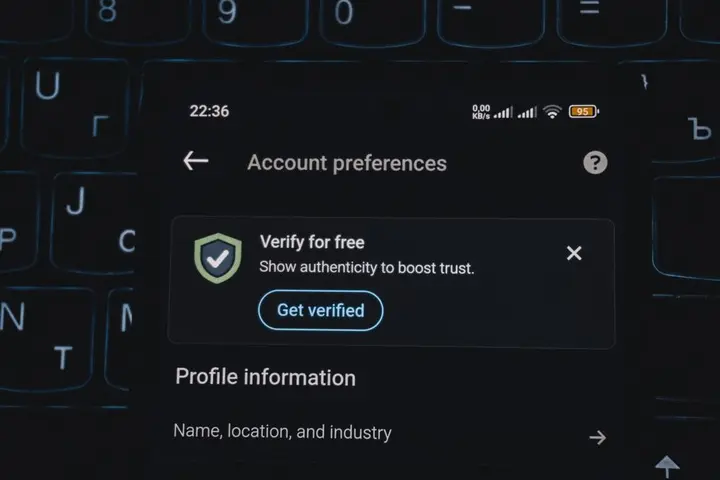
Getting verified
Verification confirms you’re the owner and lets you edit the listing. The process varies by region and may require a postcard, phone, or email. Choose the option that arrives fastest and follows through without delays. latest news Basildon brings local updates, and staying informed helps with listing decisions.
If you operate in Basildon, expect a quick check of your listed address. Mistakes trigger delays, so double-check address spelling and unit numbers.
After verification, revisit your listing to ensure there are no changes that could mislead customers, like incorrect hours or contact details.
- Complete verification promptly
- Double-check address accuracy
- Revisit details after verification
- Set up primary contact method
- Monitor for changes
Maintaining accuracy
Set a schedule to review listings every few months. Small changes, like a new phone line or updated hours, should be reflected promptly to avoid confusion.
Respond to customer reviews calmly and helpfully; this shows you value local feedback and keeps your listing lively.
Use the photo section to refresh visuals after renovations or seasonal changes so the listing always mirrors reality.
- Schedule quarterly checks
- Reply to reviews
- Refresh photos periodically
- Update holiday hours
- Keep categories aligned
Visibility and accessibility
Improve discoverability
Choose a recognizable primary category and add several supporting categories to appear in more search queries. This helps where people search for nearby services, not just your exact name. Basildon events calendar can be a reference for events to mention in store updates and posts.
Fill in every field that supports local search, like services, accessibility, and payment options. More details give Google clearer signals about what you offer.
Encourage customers to leave reviews; recent, positive feedback can boost visibility and trust.
- Use a strong primary category
- Add supporting categories
- Complete service and amenity fields
- Ask for reviews
- Monitor your listing health
| Method | Pros | Cons |
|---|---|---|
| Claim and verify | Trust signals increase visibility | Requires time and effort |
| Add rich details | Better user experience | More fields to maintain |
| Frequent updates | Stays accurate | Needs ongoing attention |
Managing photos and updates
Regularly upload fresh photos that reflect current conditions, from storefronts to interiors and menus. Fresh visuals signal an active business and attract attention.
Update posts or offers you run locally; timely updates stay relevant for locals checking the map for daily routines.
Audit old photos and descriptions to remove outdated information that could mislead readers.
- Post new photos seasonally
- Share timely updates
- Remove outdated content
- Rotate visuals for variety
- Keep captions short and clear
A complete profile with photos and contact information signals credibility and care.
Why listings matter for daily life

Everyday visibility helps neighbors
Having a visible business listing makes it easier for neighbors to find what they need without stopping to call around. When someone searches for a shop, they expect clear hours, location, and quick directions. A good listing reduces back-and-forth and saves time for both sides. post a job ad in Basildon is relevant when your listing grows and you need local help.
- Keep your single address listed correctly.
- Upload a clean storefront photo.
- Respond to common questions with concise answers.
- Verify the listing to prevent edits by others.
Listing details also shape first impressions. A complete profile with photos and contact information signals credibility and care. People are more likely to choose a business that looks organized and approachable.
Consistent information across Google Maps helps avoid confusion. If your address changes or hours shift, updating promptly prevents lost visits and frustrated customers.
- Show hours and contact clearly
- Add a welcome photo
- Keep address up to date
Tools for managing your business profile
Dashboard essentials for owners
A business dashboard centralizes updates, posts, and responses in one place. It helps you track what viewers see and where they engage. Learning the layout reduces time spent chasing changes. online obituaries in Basildon
Regular checks prevent stale information. A quick weekly glance lets you fix outdated hours, update contact options, and refresh photos before peak times.
Use notifications to catch reviews, questions, and edits quickly. Prompt responses build trust and may improve how your listing is ranked.
- Dashboard view for updates
- Notifications for activity
- Photo and post management
Common pitfalls to avoid on Google Maps

Mismatched details create friction
Inaccurate hours, wrong phone numbers, or an old address frustrate potential customers. Even small errors undermine trust and send people to competitors. Start with a precise baseline and double-check changes.
- ☐ Double-check address, hours, and phone.
- ☐ Respond to inquiries within 24 hours.
- ☐ Remove outdated posts or promos.
- ☐ Monitor listing health weekly.
Avoid posting outdated events or promotions. If you run a seasonal menu or service, update dates and terms promptly so expectations stay aligned.
Neglecting reviews or questions signals a half-hearted presence. Set a routine to acknowledge feedback, both positive and negative, and keep the tone professional.
- Keep core details accurate
- Update seasonal information
- Engage with reviews
Practical tips to keep your listing useful
Thoughtful photos and customer questions
Quality photos show the storefront, products, and a sense of atmosphere. Clear images help users decide quickly if the business matches their needs. Revisit the gallery every few months to keep it fresh.
Anticipate common questions with ready-made answers. Mention accessibility, payment methods, or delivery options in plain language so users don’t hunt for details.
Keep a human tone in responses. Personal yet professional replies make the business feel approachable and trustworthy.
- Upload storefront and interior shots
- Provide practical FAQs
- Maintain a courteous response style
Frequently asked questions
Do I need a Google account to list my business?
Yes. A Google account is usually required to claim and manage a business listing. Start by searching for your business name on Maps, then follow the prompts to claim. After verification, you can update details, respond to reviews, and add photos.
How long does verification take?
Timing varies by method. Some verifications are instant, while others take a few days. If verification stalls, check your dashboard for the available method and request a retry if needed.
Can I edit hours for holidays?
Yes. You can set special hours for holidays or events. Update the listing with clear, local times and note any closures to prevent confusion among customers.
What should I avoid posting on my listing?
Avoid false claims, overly promotional language, or irrelevant events. Stick to accurate, helpful information such as services offered, accessibility, and contact details.
Conclusion
Take the basics seriously: claim, verify, and keep essential details accurate. A clear foundation prevents problems later and makes it easier to grow your presence.
Then add thoughtful updates: fresh photos, clear hours, and quick responses to questions. Regular, predictable upkeep turns a basic listing into a reliable guide for daily life and local needs.


